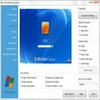
Securely wipes selected files, partitions, and unused space to prevent any possibility of recovery
Securely wipes selected files, partitions, and unused space to prevent any possibility of recovery
Vote (3 votes)
Program license Trial version
Developer DoYourData
Version 3.0
Works under Windows
Vote
(3 votes)
Developer
DoYourData
Works under
Windows
Program license
Trial version
Version
3.0
Pros
- Permanently deletes files and partitions, preventing recovery
- Supports multiple erasure algorithms and file systems
- User-friendly interface with clear workflow
- Works with various storage media, including USB and SD cards
- Compatible with numerous Windows versions
Cons
- No recovery feature for accidentally deleted files
- Full drive wipes can be time-consuming on large volumes
- No Mac version available
Complete and permanent data deletion tool for Windows and external drives
Overview
DoYourData Super Eraser is a specialized program for Windows designed to permanently erase files, folders, and even entire storage devices, ensuring sensitive data cannot be recovered. The software supports a broad range of storage media including internal hard drives, USB drives, memory cards, and external disks. Its intuitive interface and versatile erasure methods make it suitable for both personal and professional use.
Permanently Delete Sensitive Data
A defining feature of DoYourData Super Eraser is its ability to remove data beyond the reach of standard recovery tools. Instead of simply deleting files, which leaves recoverable traces, the software overwrites the data, making it irretrievable. This functionality is crucial when preparing a device for resale, disposal, or sharing, minimizing personal or business data exposure.
Three Erasing Modes
DoYourData Super Eraser organizes its functions into three distinct wiping modes for different needs:
- Erase Selected Files/Folders: Target and destroy specific files or folders without affecting the rest of your drive.
- Wipe Entire Drive or Partition: Remove everything from a chosen partition or storage device for a full reset.
- Wipe Unused Disk Space: Erase leftover traces from previously deleted files to further prevent potential future recovery.
Compatibility and File Systems
The software accommodates a range of file systems, including FAT12/16/32, exFAT, NTFS, NTFS5, ext2, and ext3. Compatibility extends to most modern and older versions of Windows, covering Windows 10, 8.1, 8, 7, Vista, XP, and even Windows Server editions.
User Experience and Safety
DoYourData Super Eraser provides a clean user interface that guides users through each erasure process with clear options and warnings. Because data erased with this tool cannot be recovered, the application prompts for confirmation and advises caution, reducing the chance of accidental loss.
Performance and Security
Performance is efficient across most storage devices, handling both small-scale and bulk deletions effectively. The software utilizes secure wiping algorithms that meet industry standards, including options for multiple overwrites to further enhance data removal security.
Additional Features
- Supports erasure of not just local drives, but also external storage media and memory cards.
- Provides logs for completed operations for recordkeeping or auditing.
- Lightweight installation with minimal system resource usage.
Pros
- Permanently deletes files and partitions, preventing recovery
- Supports multiple erasure algorithms and file systems
- User-friendly interface with clear workflow
- Works with various storage media, including USB and SD cards
- Compatible with numerous Windows versions
Cons
- No recovery feature for accidentally deleted files
- Full drive wipes can be time-consuming on large volumes
- No Mac version available